"Customer called me"
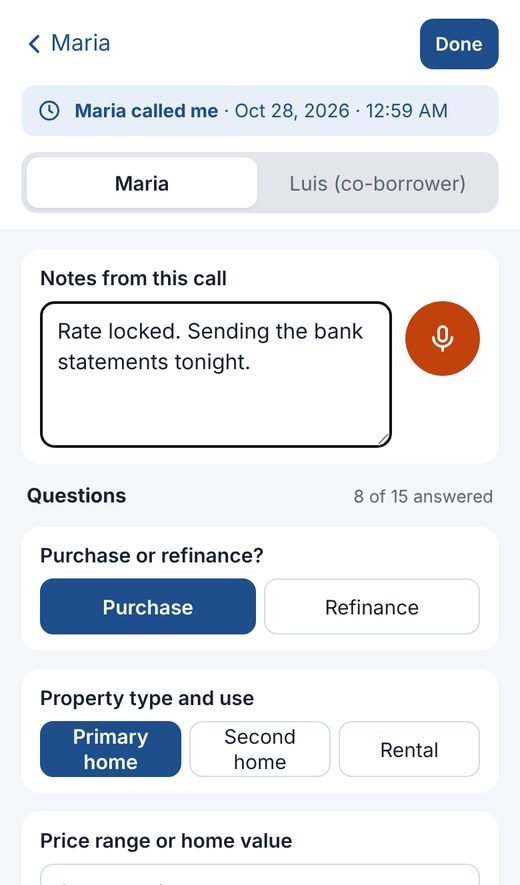
One tap opens a new note stamped with the date and time, with your standard questions ready to tap through while you talk.

Client Notebook is the notebook loan officers keep by the phone, except it never gets lost. Answers, call notes, documents and follow-ups for every borrower, on your iPhone, Android and Windows PC.
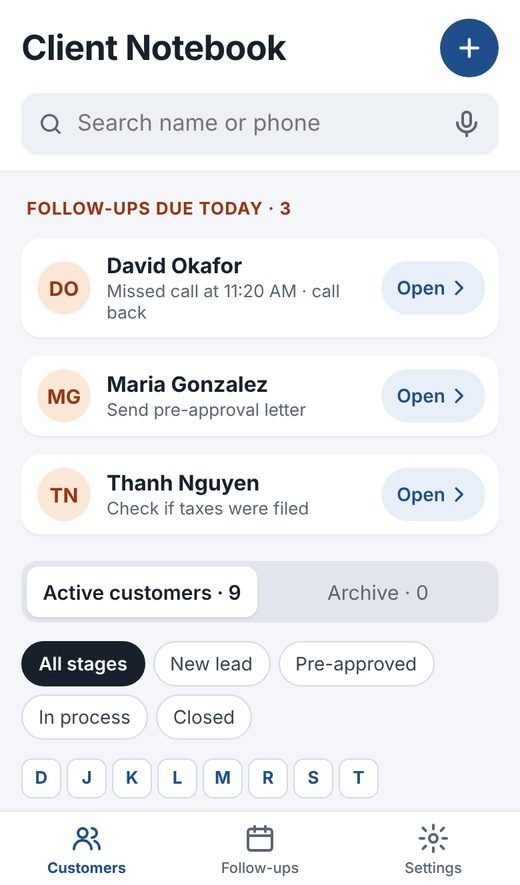
Type a few letters and the borrower's whole file is open: what they told you, every call, what's still missing, and when to call next.
One tap opens a new note stamped with the date and time, with your standard questions ready to tap through while you talk.
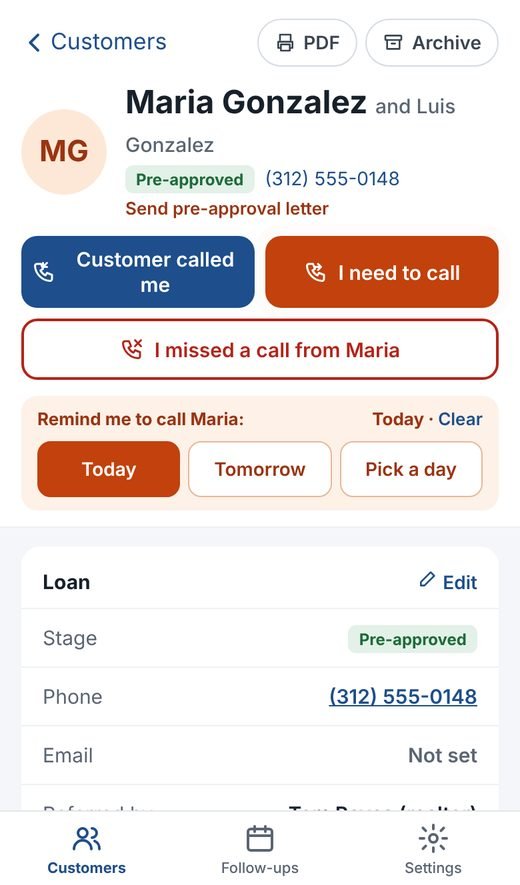
Call back today, tomorrow or any day. Missed calls go straight onto today's list, and the call button pulses until you've called back.
Purchase or refinance, income, credit range, marital status, taxes and more. Tap the answer, add your own questions any time.
Tap the microphone and speak your notes. They turn into text you can fix later.
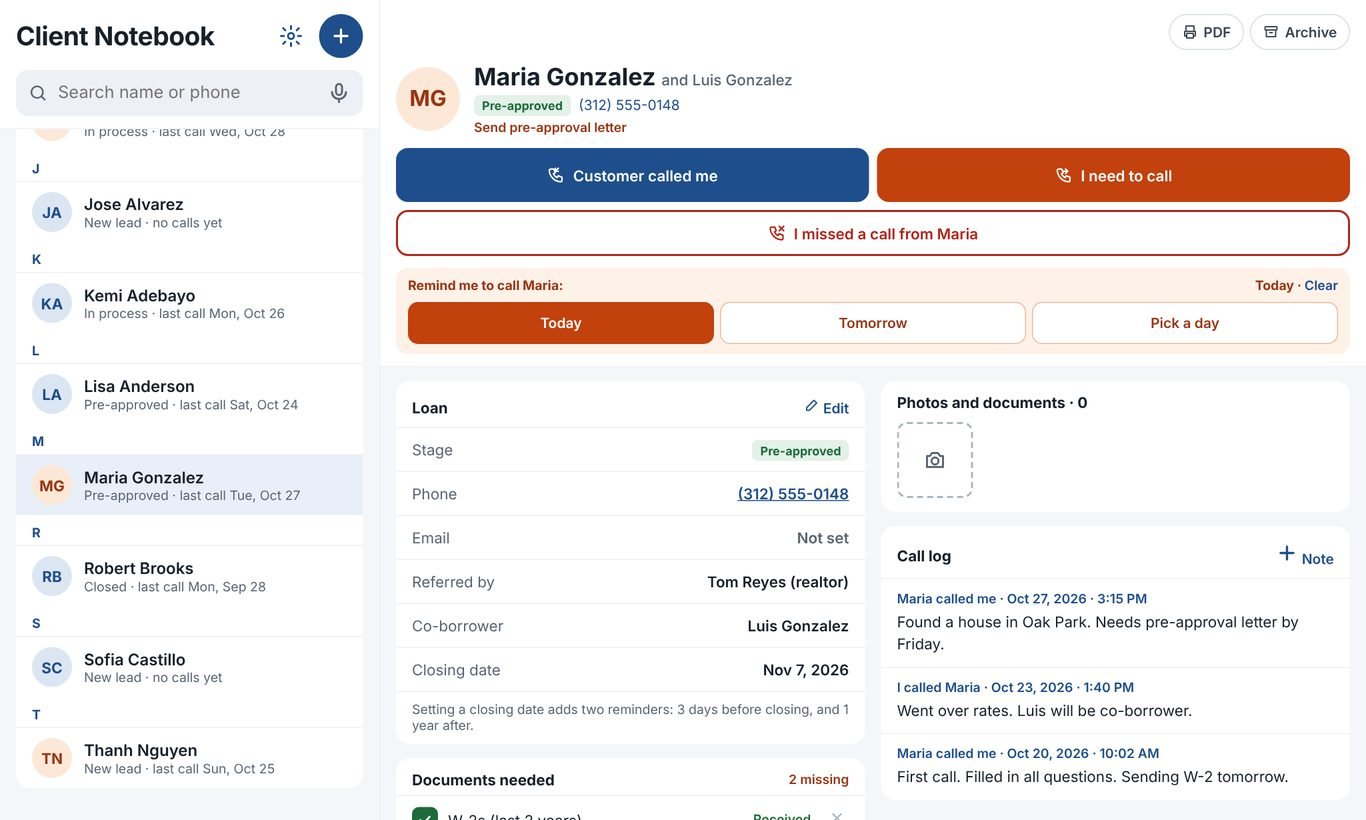
W-2s, pay stubs, bank statements, tax returns: see what's in and what's missing, and text the borrower the missing list in one tap.
Snap a document or add a photo straight into the borrower's file. It's kept with their notes and backed up.
Set the closing date and you're reminded 3 days before closing, and again a year later for the check-in that brings referrals.
Keep both borrowers in one file, track each loan from new lead to closed, and see which realtor sent them.
Every save is copied to your own Google Drive, one folder per customer. Finished files move to the archive, never the trash.
The same notebook on your phone and your computer. Take the call on your iPhone, finish the notes at your desk.
You're set up in a few minutes. No credit card.
Fill in the short form below. We set up your private notebook and email you your sign-in.
Add it to your iPhone or Android home screen and install it on your Windows PC.
One tap connects your Google Drive, so every client file is backed up where only you can see it.
Tap "Customer called me" and start typing, or talking.
Sign in with the email and password from your welcome email. Everything you add on one device shows up on the others.
Windows 10 or 11, 64-bit. About 80 MB.
App Store and Google Play versions are on the way.
Client Notebook is free while we're in early access.
Everything included, for as long as early access lasts.
When paid plans start, early-access users hear about it first, well before anything changes. Your notes stay yours either way, and your Google Drive backup is always yours to keep.
Tell us where to send your sign-in. We set up your notebook and reply, usually within one business day.
Prefer email? hello@wroomapps.com
Yes. Everything is free during early access, with no credit card. If paid plans come later, you'll hear first, well before anything changes.
Only you, after you sign in. Your notebook is private to your account, protected by your password or Face ID, and the backup goes into your own Google Drive. We don't sell or share your data. Read the privacy notice.
Yes. Notes, answers and follow-ups save on your phone and sync to your other devices as soon as you're back online.
Yes, as many devices as you like. A note you type on the phone is on your Windows PC a moment later.
It's built around a loan officer's day, but the questions are yours to change, so realtors, insurance agents and anyone who lives on the phone use it too.
Any time. Your Google Drive holds a readable copy of every customer, and Settings has a one-tap download of everything.
Not yet. App Store and Google Play versions are on the way. Until then, you install it straight from Safari or Chrome in a few seconds. It works the same way.